

Authentication & API Keys
Every Praedico Integration Platform endpoint requires authentication. Requests without a valid key receive
401 Unauthorized and are never processed.
How to authenticate
Section titled “How to authenticate”Send your key in the Api-Key header on every request.
| Header | Value |
|---|---|
Api-Key |
<secret-key>_<id> |
How to get a key
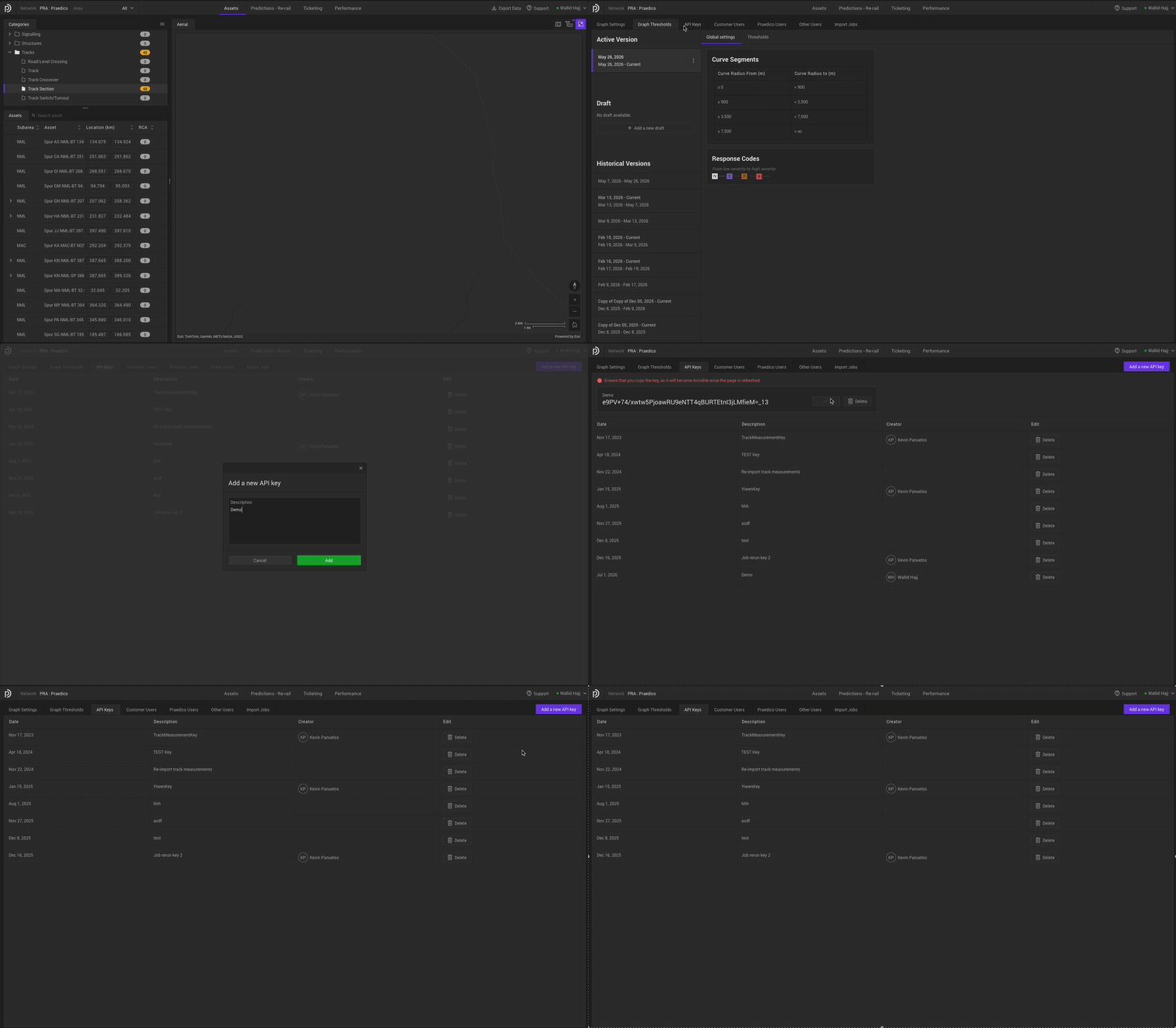
Section titled “How to get a key”API keys are managed in the platform’s API Keys section. That section is only visible to users with the Admin or APIKeyAdmin role. If you don’t see it, ask an administrator to grant you one of those roles or to generate a key on your behalf.
From the API Keys tab you can:
- Generate a new API Key. The key value is shown only once, when you generate it. It cannot be recovered after you refresh or leave the page, so copy it somewhere safe straight away.
- Delete an existing API Key. A deleted key can no longer authenticate Importer
API requests. Any integration still using it will start receiving
401 Unauthorized.
Use the generated value in the Api-Key header on your requests.
Treat keys like passwords. Store them in a secrets manager, never in source control.
When authentication fails
Section titled “When authentication fails”A 401 Unauthorized means the request was rejected before any data was processed. Work
through these in order:
- Wrong header name. It must be spelled
Api-Key(case-insensitive). - Modified key value. Send the key exactly as issued, including the
_<id>suffix. - Wrong environment. A key works only against the environment it was issued for. Confirm your base URL matches that environment.
- Expired or rotated key. If a new key was issued, the old one may no longer be valid.